SaviAI
Saviynt
2025 - 2026
UI/UX Design Lead
18 Stakeholders
Saviynt made AI integration a primary initiative in 2025. As UX design lead, I guided our team in building SaviAI's v1 component and pattern library, then validated it by applying the framework to our first AI-enabled feature.
Saviynt is a cloud-native Identity Governance and Administration (IGA) platform that helps organizations secure their digital identities, applications, and data across cloud, hybrid, and on-premises environments. It is designed to manage user access, automate compliance, and mitigate risks by providing a unified view of all human and machine identities.

The Challenge
A Mature Product
Saviynt was a 13-year-old enterprise platform; one that was deep, broad, and carrying the complexity that comes with maturity. Many task flows were disjointed, pushing users through multiple navigation jumps to complete a single task. Introducing AI into that environment wasn't a design challenge so much as it was a systems problem.
Poor Examples
What made it harder was the lack of useful reference points. The AI examples stakeholders gravitated toward like ChatGPT, Cursor, and Amazon Q were native chat experiences built from the ground up around AI. However, Saviynt needed AI woven into an existing product, serving identity security and IGA workflows that had real stakes attached to them.
The question we kept coming back to was:
How do you inject an AI framework into a mature product in a way that genuinely improves how people work — without good precedent to learn from?
The Process
DISCUSSIONS & ANALYSIS
We started by getting close to the technology itself. A series of working sessions with the AI engineering team helped us map what SaviAI could realistically do, what its limitations were, and where it was headed. That fed directly into our first UX architecture documentation which aimed to hold both design ambition and technical reality in the same frame.
A competitive analysis followed, though its value was mostly in understanding what not to replicate.
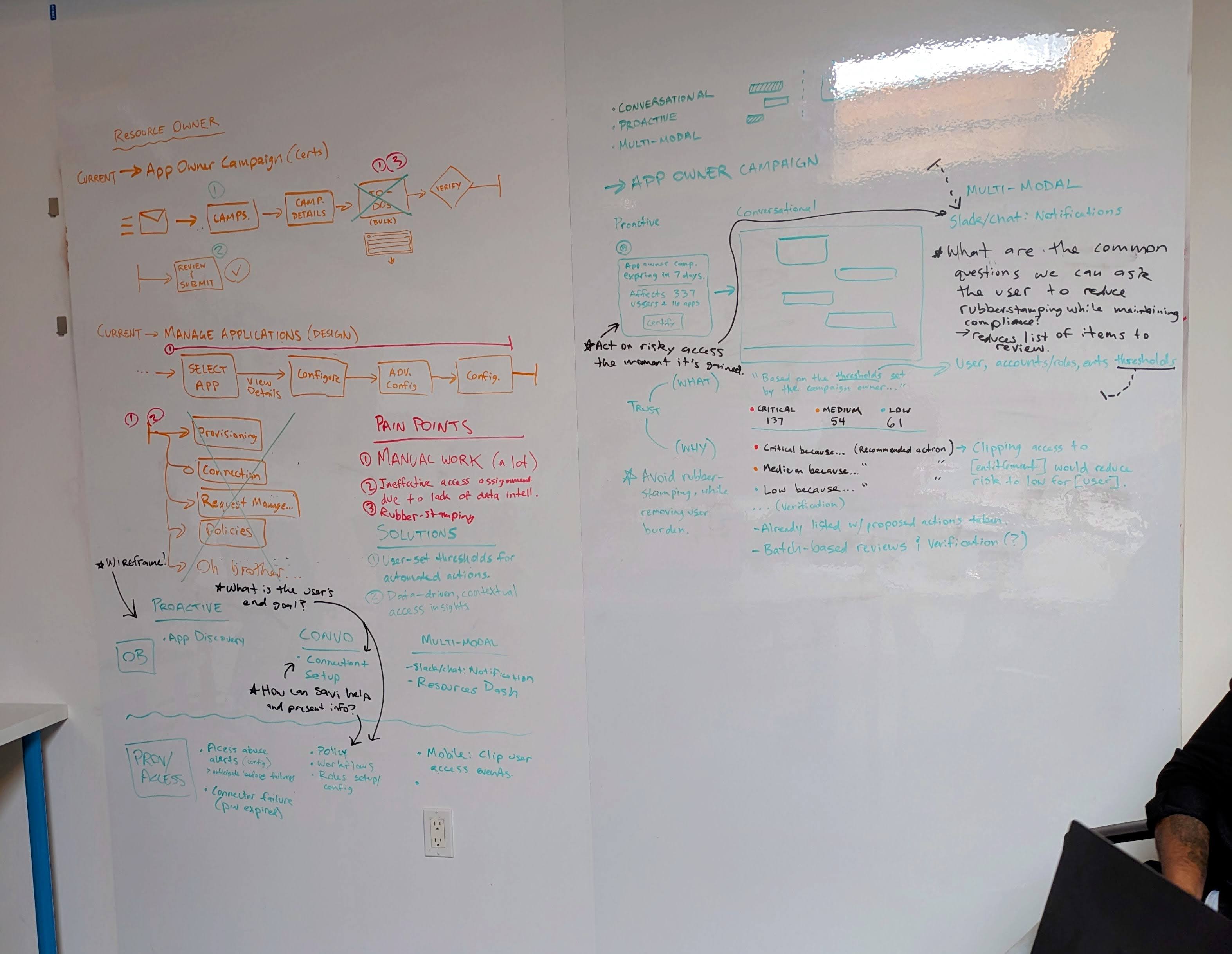
UX TEAM WORKSHOP
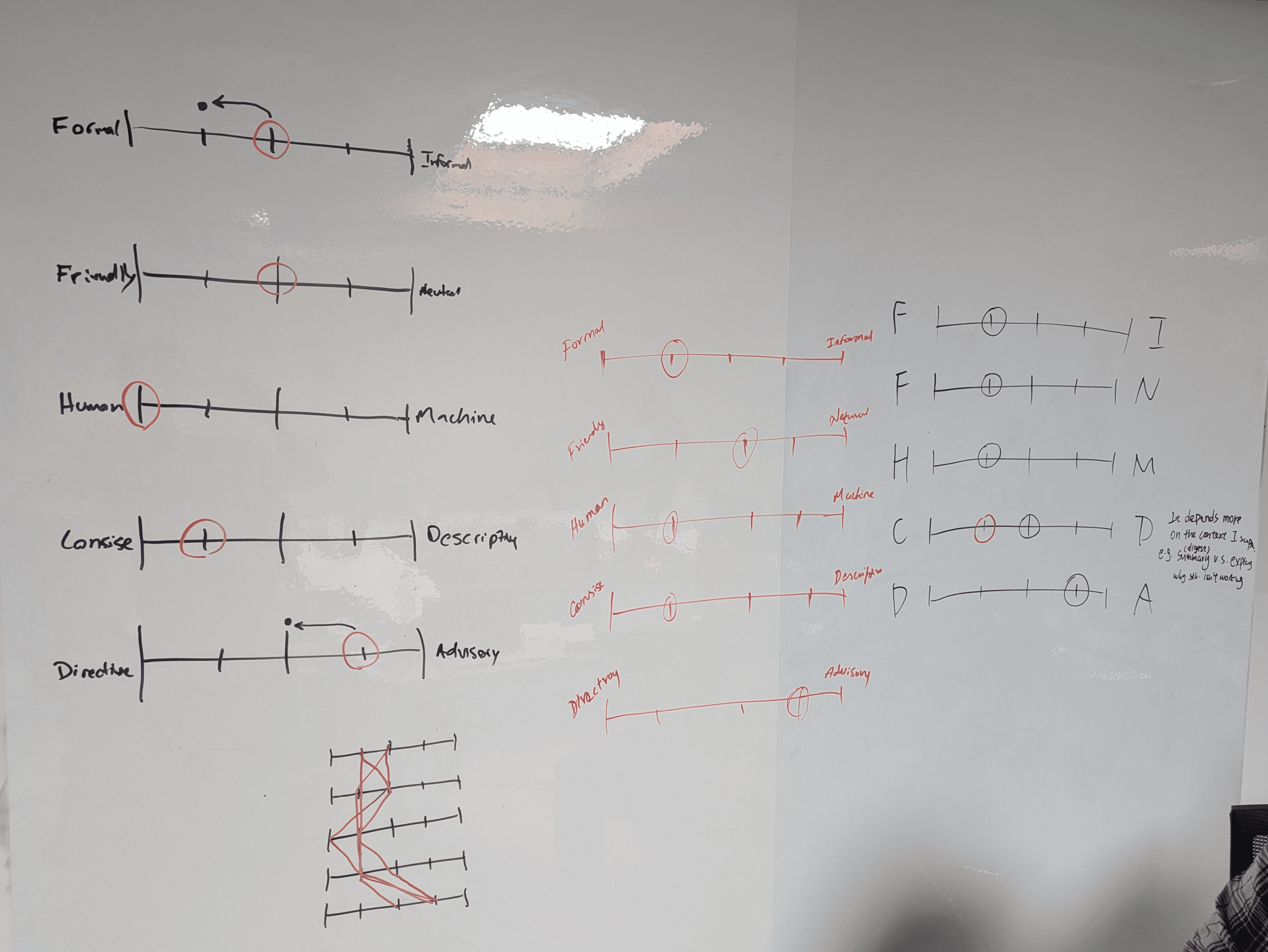
Late Q3 2025, our remote team convened for a week at HQ. The goal was to leave with a shared UX framework and decisions we could actually design from. By the end of the workshop we aligned on SaviAI’s core pillars, chief among them were:
Voice and tone. Formal but approachable; concise enough that users always knew what to do next.
AI-specific components. SaviAI needed its own component set, but one that drew from our core design system for visual and interaction consistency.
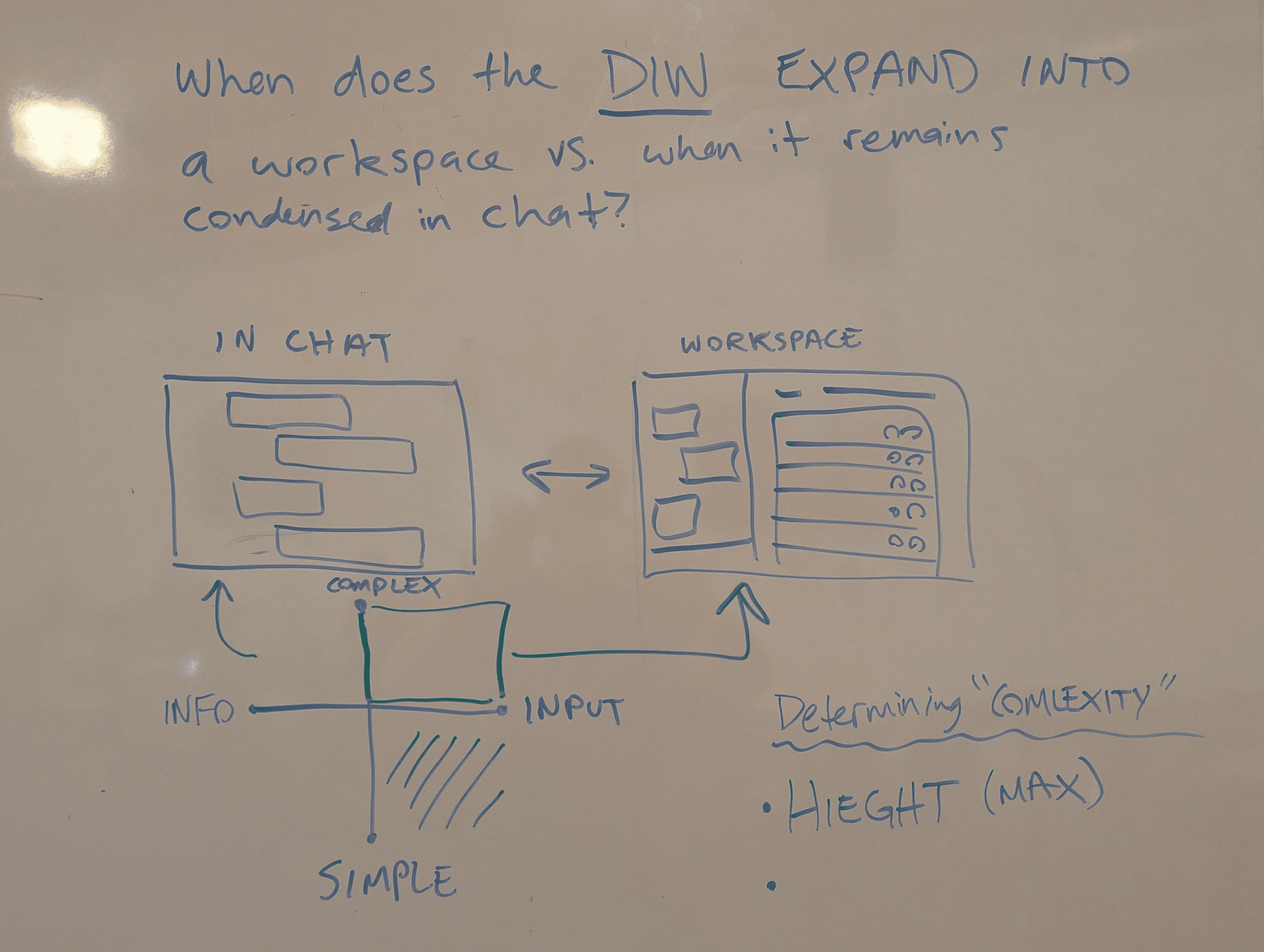
Core interaction patterns. We mapped out when SaviAI should live in a full chat context versus a lightweight contextual one, and when it should be proactive versus waiting to be prompted.
Cultivating user trust. This one mattered most. Our research surfaced two specific anxieties:
AI systems are prone to hallucinate rather than admit uncertainty
Automation that hides its work.
We addressed both directly, intending that SaviAI would acknowledge the limits of its knowledge, and the UX would make automation visible rather than obscure it.
COMPONENT & PATTERN DEVELOPMENT
I led the component and pattern work across a 6-person team, with each designer owning specific pieces. We held syncs twice a week to review progress and pressure-test decisions. Every component was cataloged with its variants, and prototypes were built to demonstrate both simple interactions and more complex behavioral flows.

STAKEHOLDER FEEDBACK
Given SaviAI's global scope, we consulted broadly from AI engineering, frontend development, and the PM teams for ISPM and Service Accounts, both of which had concrete, near-term feature releases we needed to design for. These sessions were as much about expectation-setting as they were about validation.
The Solution
The framework we built was designed to scale, providing a cohesive system that could serve SaviAI's needs across Saviynt's full surface area.
COMPONENTS
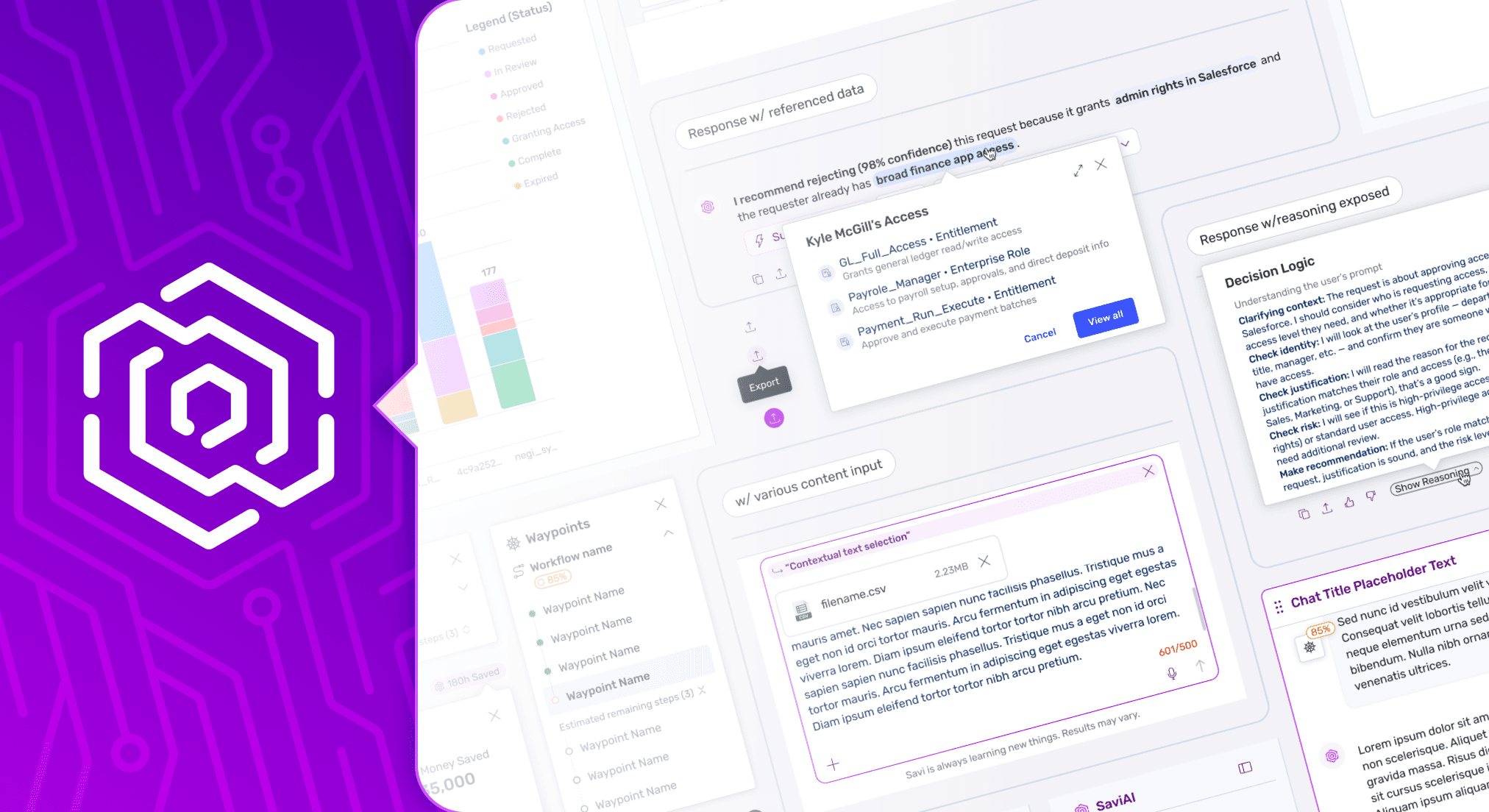
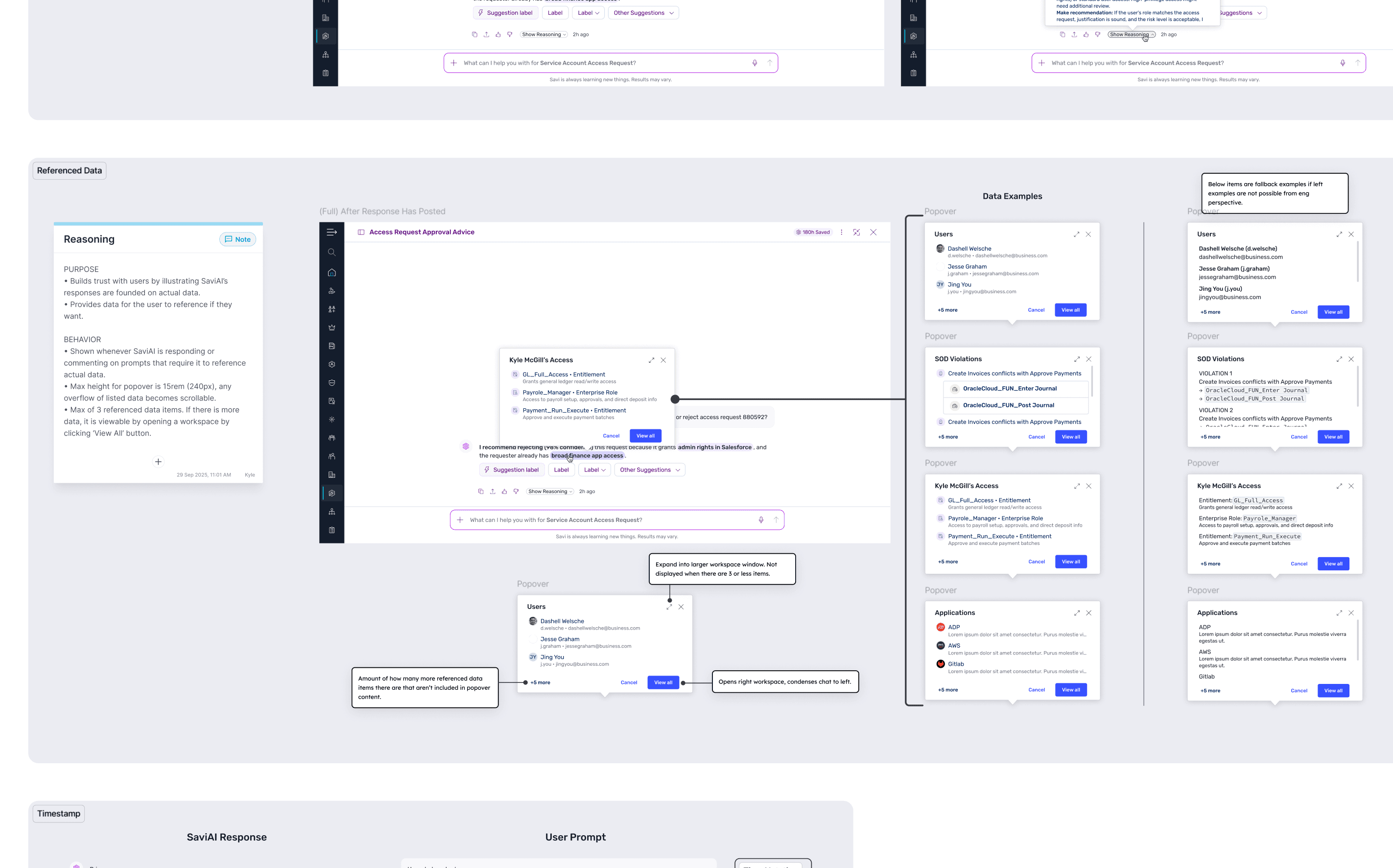
At the core were 8 purpose-built components that handled the full range of conversational and dynamic UI needs:
Attachment - File and asset handling within the chat context.
Chat Bubble - The primary unit of conversation; designed to clearly distinguish AI responses from user input while maintaining readability at scale.
Chat Input - The user's primary point of text entry; designed to feel low-friction without underselling SaviAI's capabilities.
Chat Header - Persistent orientation and control, keeping users grounded in the context of their session.
History Panel - For session recall and continuity; critical for workflows that span multiple interactions.
Generated Content Window (GCW) - The most complex component in the set. Handles AI-generated charts, tables, and code outputs: rendered side-by-side with the chat so as to not break the conversational flow.
Dynamic Input Window (DIW) - Enables UI-based interactions that are pulled from the core design system components to surface within the chat experience, keeping users in context rather than redirecting them elsewhere.
Prompt Suggestion - Reduces blank-slate friction and guides users toward high-value interactions with SaviAI.
Waypoint Menu - Works in tandem with the DIW to manage navigation through conditional workflows in the chat. When a change in one step has downstream effects on others, it keeps the user oriented and in control, preventing the chat thread from becoming a source of confusion in complex flows.
Each component was built from design system primitives, ensuring they felt native to the platform while remaining visually distinct as AI-specific elements.
PATTERNS
If the components were the vocabulary, the patterns were the grammar. The most critical ones addressed two questions that came up in almost every stakeholder conversation:
Where does SaviAI live? We defined the entry points and engagement surfaces so that AI assistance was accessible without being intrusive; present when relevant, out of the way when not.
How does SaviAI handle generated and dynamic content? This was the hardest problem. Enabling a user to, for instance, request a data visualization or complete an access request without ever leaving the chat required careful coordination between the GCW, DIW, and the underlying design system components.
The patterns we built here became the backbone for every subsequent AI feature in development.
Outcome & Reflections
BROADER ALIGNMENT IN PROGRESS
By the time I left Saviynt, SaviAI's component library was in active use across all planned AI features. Getting there wasn't without friction, however. The loss of our UX Director mid-project redistributed leadership across three people, which slowed momentum at a critical stage.
The framework landed well on the design side, but the harder gap was implementation. Key conversations with backend engineering never fully materialized, and frontend resources weren't available to build coded components. The system existed, but its path to production was murkier than it should have been.
Looking back, I'd have pushed harder and earlier to get the engineering VP and lead frontend developer in the room. Bridging UX aspiration with technical feasibility isn't something that resolves itself. It takes someone willing to force the conversation. That's the primary lesson I'm carrying forward.
USEFUL CUSTOMER INSIGHTS
I was the primary designer for the first MVP AI experience for creating and modifying service accounts which used our new components and patterns.
I ran a quick succession of one-on-one interviews with four customers, walking each through a prototype of the user flow. Two clear themes emerged:
The experience favored newcomers over power users. First-time and less experienced users found the AI chat approach intuitive and confidence-building. For experienced users, though, it felt restrictive — even when they knew exactly what they wanted and provided strong context, the chat flow took as long or longer than a traditional UI would have. The efficiency gains simply weren't there for users who didn't need their hand held.
The post-submission experience left users in the dark. After submitting a creation or modification request, SaviAI's summary response was sparse — no reference number, no request status, and no clear path to verify whether the request had gone through.
Before I left, I had improved the summary response with an optional link to the request history page.
The absence of a traditional UI was flagged during a UX team review, and when I raised it with the PM, our delivery timeline was the blocker. They agreed it was right for a future release, but it was a compromise we could see the cost of before it shipped. For a user base spanning a wide range of experience levels, an AI layer and a traditional UI aren't competing priorities. I'd have pushed harder, and earlier, to make that case to leadership.