Perception Services
Velodyne Lidar
2022
UI/UX Design Lead
12 Developers
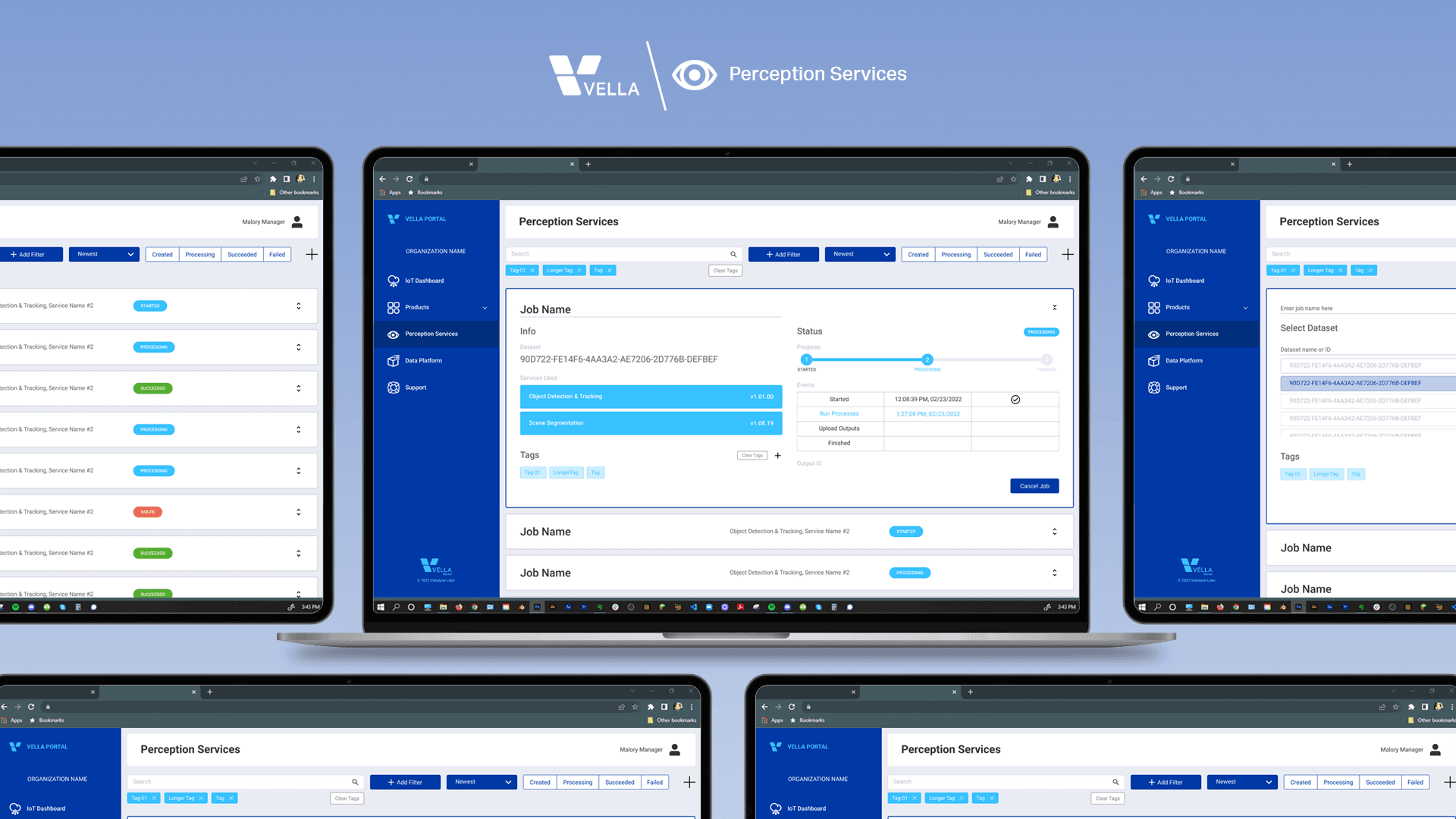
Perception Services was an application within Velodyne’s Vella Portal that enabled users to run perception workflows such as object detection, tracking, segmentation, and occupancy detection on lidar point cloud data directly in the browser.
Previously, these processes were done only by internal teams and needed to be productized for self-serve access through the Portal.
The product primarily served technically savvy B2B users already familiar with lidar technology; it was a 0-to-1 initiative designed to integrate seamlessly into the existing Vella Portal dashboard experience.
The Challenge
I had to design a feature set turning these processes into services the user could select, run, monitor progress, and review the output file when completed. The ability to curate and search for past and current "jobs" was also a must.
The Process
BASIC USER FLOW
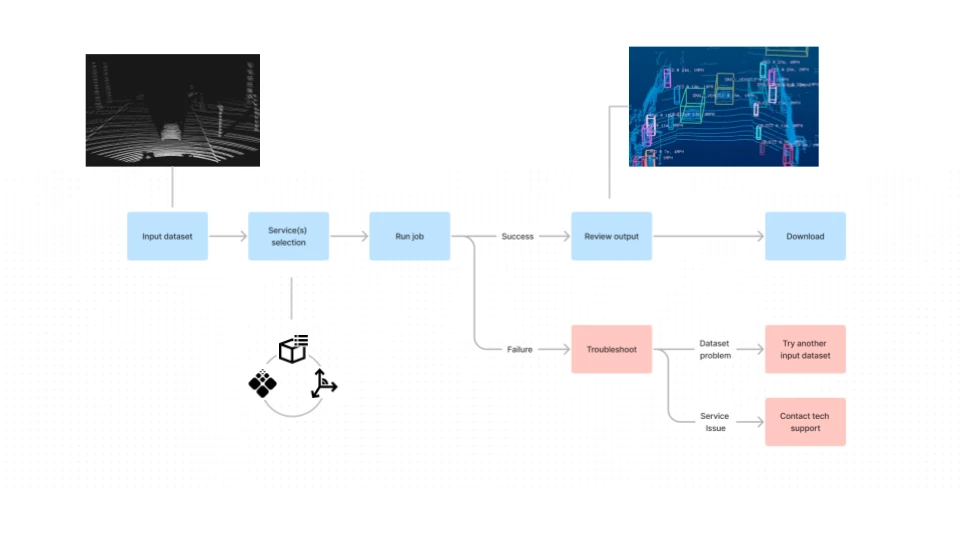
Users select a point cloud dataset, select the perception services they want for it, and then submit the “ job”.
They can track the job’s progress until complete, then review and download the perception output file.
For a number of different reasons the job’s processing of the dataset could succeed or fail. I was only able to map out the troubleshooting flow in a very general sense.
I compromised by at least informing the user of when and at what point in the job the failure occured. More on that later.
IA BLOCKS
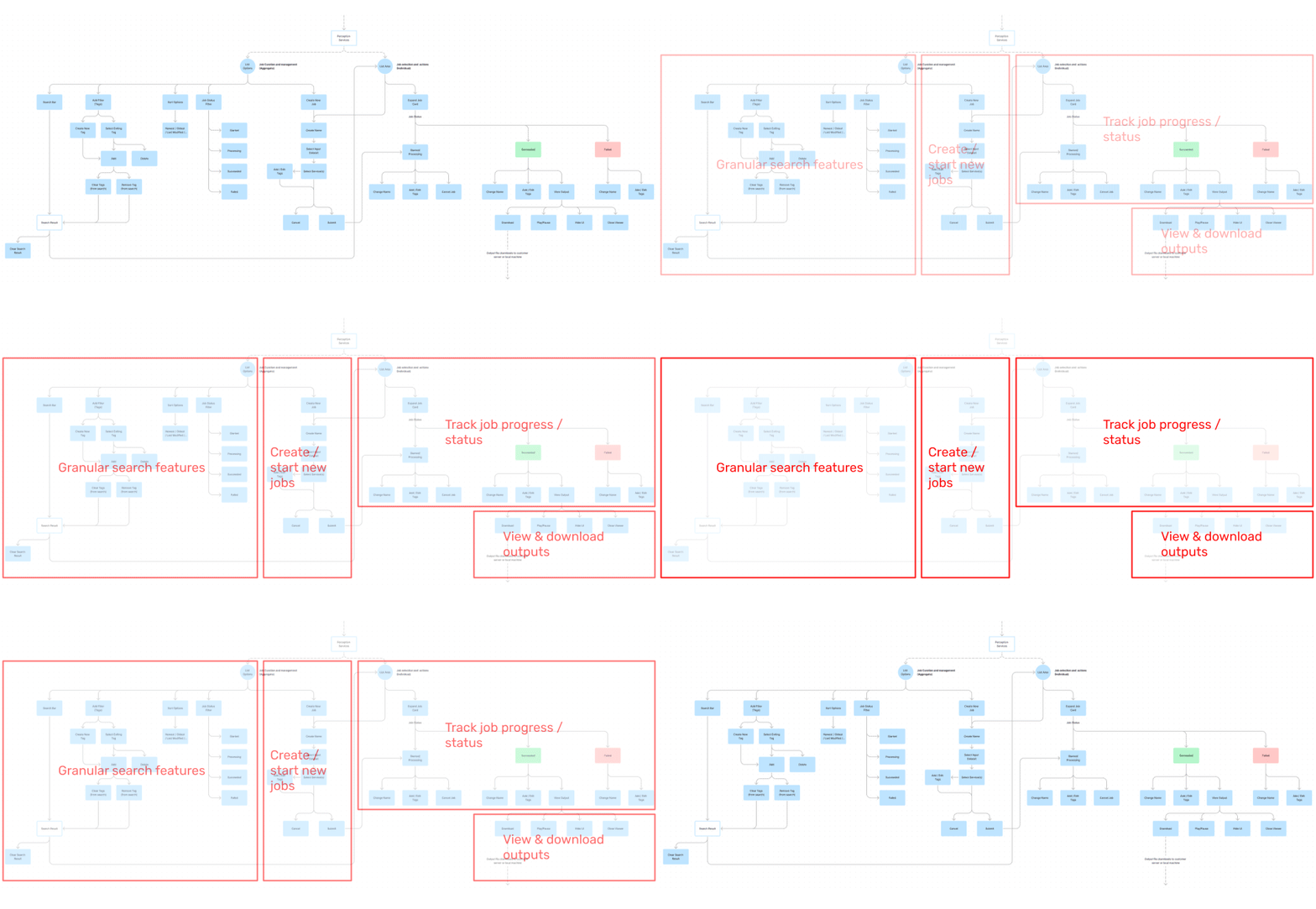
The information architecture expanded from the basic user flow into our v1 feature set while using the core beats to define its blocks. I also included a range of search and sorting options in order to account for managing a large number of files.
UI LAYOUT
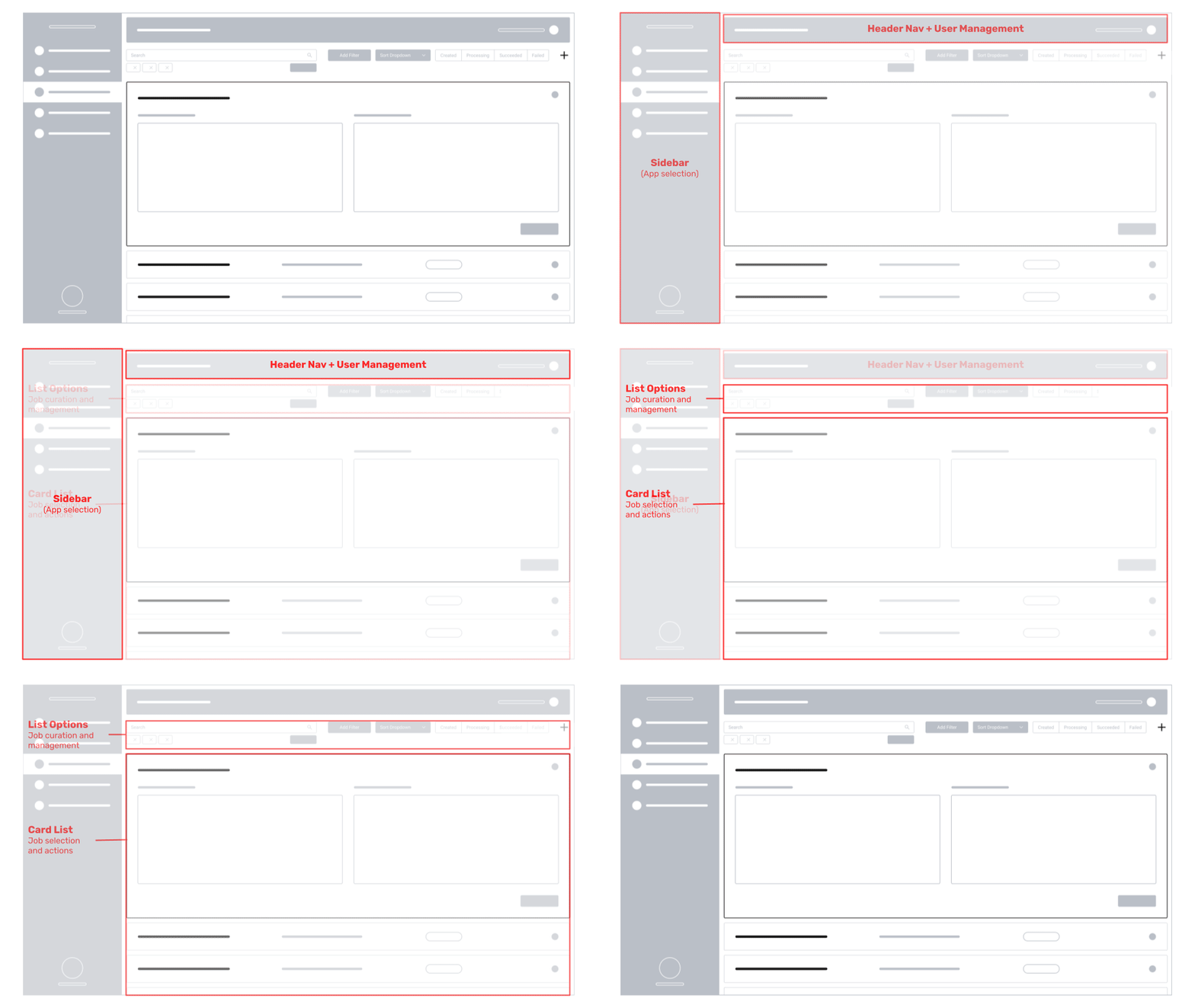
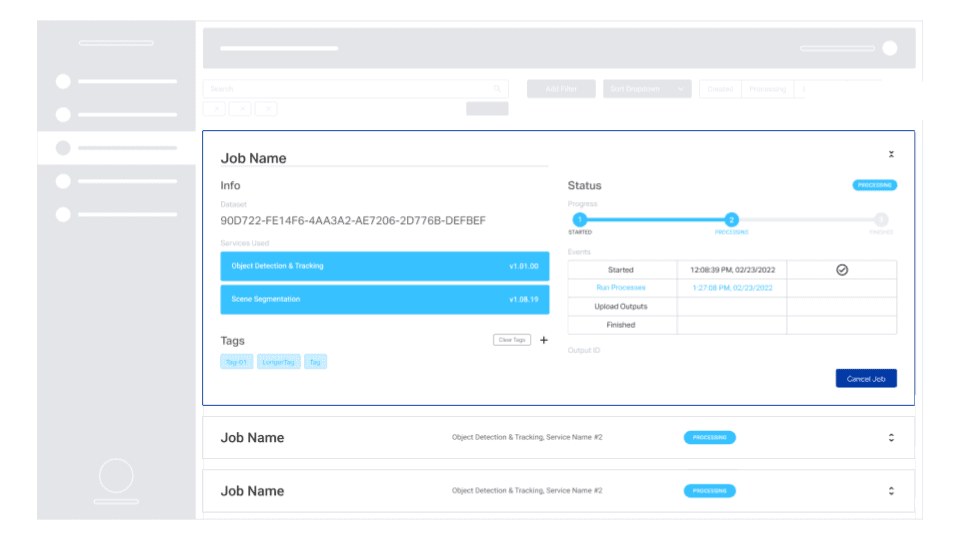
As with all apps within Vella Portal, the app had to fit within the global elements of the portal’s dashboard. The list options and card list were where Perception Services’ experience lied.
The Solution
JOB CARDS
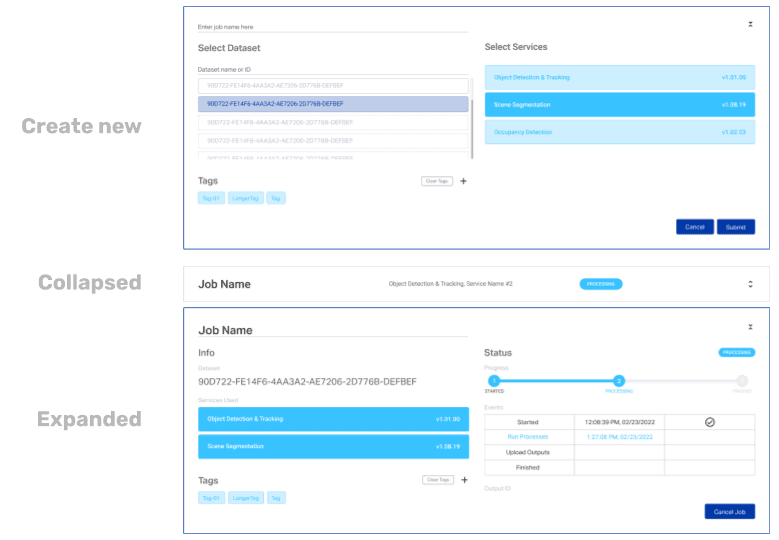
The card list consisted of expandable cards showing information for running and finished jobs.
The job card existed in 3 states:
New: the user choses their dataset, select their services, and submit the job.
Collapsed: provides glanceable information about the running job.
Expanded: from the collapsed state which gave the user more info about its status and progress.
PROTOTYPE
The below was presented to the lead developer and stakeholders to illustrate the core user flow.
Context
A user with a vehicle autonomy organization
Their previous job failed, have recorded a new dataset, and want to submit a job with the same services
Flow
Use the app’s search features to find the previous dataset
Choose new dataset and submit job
Track job progress
Review final output
Outcome & Reflections
Version 1 of the app was implemented and in the process of being internally tested, but had not been released publicly.
We had to make a compromise with the trackable steps goal, pushing most of those features to the next feature release.
Only initial insights from our internal testing had been gathered by the time of my exit, and required more study. What we had did help us in defining which features to fill out for the future.
Planned features for next release were:
Troubleshooting features
User notifications for completed jobs
Onboarding flow for new users